MyNorthwell
- 3.8
- Rating
- 100.00K
- Installs
- Free
- Price

 Analysis by App-foxy
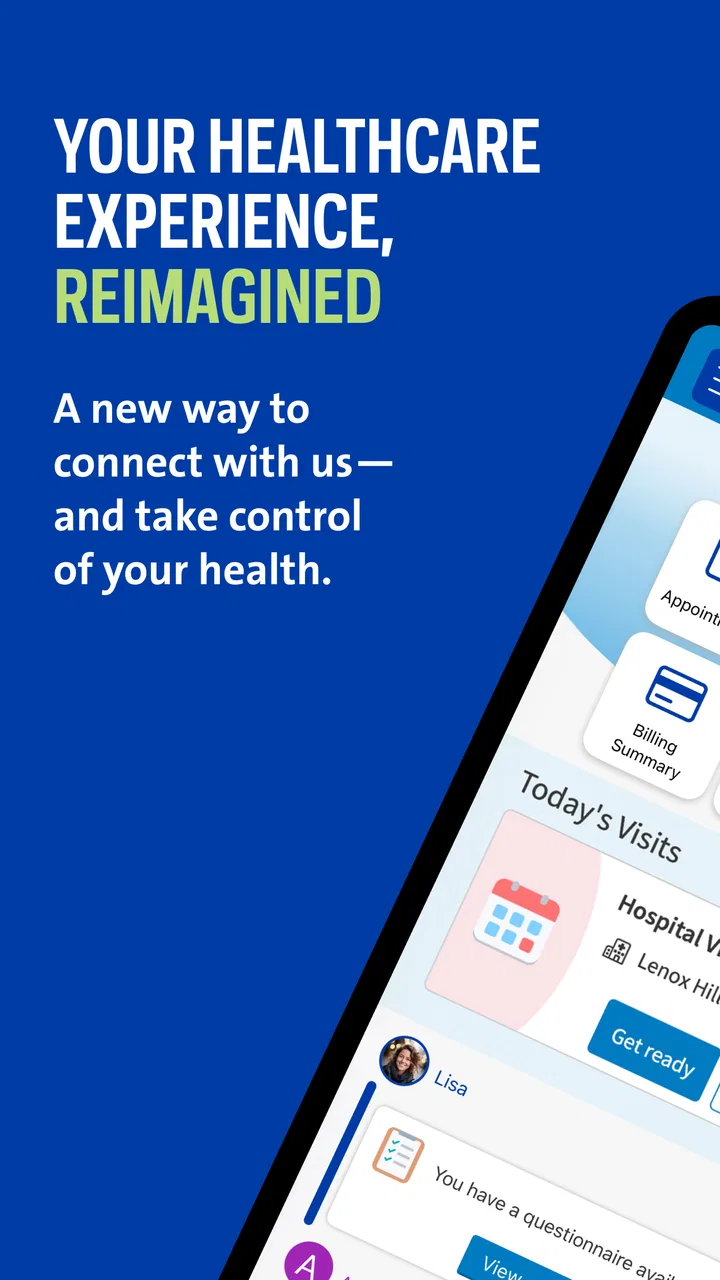
Managing healthcare for one person can already involve appointments, messages, test information, and changing instructions. In a household, the practical challenge becomes larger: one person may need to help an older relative, a partner may be coordinating visits, or a parent may simply want a clearer way to keep track of their own care. I found MyNorthwell most useful when I treated it as a personal connection point for Northwell services rather than as a general medical encyclopedia or a replacement for urgent care.
The app comes from Northwell Developer and sits in the medical category. It is free to use, rated for Everyone, and has passed the 100K-install mark. Its average rating is 3.9 from more than four hundred ratings, which suggests a reasonably established app but also a mixed experience for some users. I would not read that score as a reason to avoid it; healthcare apps often depend heavily on account details, device settings, and the user’s relationship with a particular health system.
How MyNorthwell Fits Into Everyday Household Healthcare
I find MyNorthwell most useful in a household when it supports one person’s care without turning their private account into a shared family dashboard. This section looks at the practical boundaries that make that arrangement work: who signs in, how relatives can help, and when a different tool or a direct conversation is the better choice.
You May Also Like

 Blood Strike: 2.5 Anniversary
Blood Strike’s Loadouts Turn Every Drop Into a Tactical Gamble
A close look at Blood Strike’s custom loadouts: how fast access to signature weapons reshapes its battle royale rhythm, rewards preparation, and narrows the gap between fights.

 Pandora - Music & Podcasts
Pandora’s Music Is Easy to Start, but Harder to Recover
Pandora’s strength is its low-effort path from a seed to a station. Its weak spot is how much confidence it asks you to place in connection, setup, and quiet recovery.

 8 Ball Pool
 Is Built on Rivalries, Rematches, and Routine
A close look at the rivalries, rematches, shared routines, and unanswered safety questions that turn a quick pool match into a persistent mobile community.

 Samsung Music
’s Quiet Strength Is Playing What You Already Own
Its reach comes less from spectacle than from dependable access to a personal library. That simplicity is both the app’s strongest retention engine and its ceiling.

 AccuWeather: Weather Radar
AccuWeather Review: A Quick, Clear Forecast for Everyday Decisions
For everyday plans, the best forecast is the one you can understand quickly. AccuWeather makes rain timing, radar, and local conditions easy to act on, with a few trade-offs.

 Hill Climb Racing
Why Hill Climb Racing Still Turns Crashes Into One More Run
A tiny car, a bumpy hill and one more upgrade: Hill Climb Racing keeps resurfacing because its simple chaos makes every near-miss feel personal.
More From Our News Desk



A realistic shared-device situation
Imagine a household tablet kept in the kitchen. One family member uses it to check an upcoming appointment, another wants to review a message from a care team, and an older relative needs help navigating the same healthcare system. That is where the app can be convenient: it gives the household a familiar starting point for Northwell-related tasks without requiring everyone to search through a browser each time.
However, a shared device does not automatically mean a shared account. I would be careful about leaving a session open, especially if several people use the same tablet or phone. Medical information is personal, and a convenient household arrangement can become uncomfortable if another person can open messages, appointment details, or other account material simply because the previous user forgot to sign out or secure the device.
My practical approach would be to use the app primarily on each person’s own phone when possible. A shared device can still help with assisted use, but the account holder should remain in control of when the app is opened and what is visible. This is an important distinction: household coordination is not the same as shared medical access.
For a caregiver, the app may be helpful as part of a larger routine. I could sit with a relative, let that person identify the relevant information, and help with navigation or reminders outside the app. That keeps the patient involved instead of turning the account into a family noticeboard. It also reduces the chance of mixing up two people’s appointments or messages.
Setting boundaries before anyone else helps
The first setup decision should be whose account is being used. If I were installing MyNorthwell for an older family member, I would make that clear before entering anything: this is their healthcare account, and I am assisting them rather than creating a household profile. That simple boundary matters more than the installation itself.
I would also check the phone’s general security before relying on the app. A screen lock, private device profile, and careful notification habits are sensible companions to any medical application. Notifications can be useful, but displaying sensitive text on a lock screen may not suit every household. The right choice depends on who can see the device during the day.
Another useful habit is to decide where follow-up information will live. If the app shows an appointment or a message, I would avoid copying personal details into an unprotected family chat just for convenience. Instead, I might write down only the practical part, such as the day or the need to call a clinic, while leaving medical content inside the account.
The app is free, which removes a financial barrier for people who want to try it. That does not mean every household workflow will be effortless. The real requirement is a usable Northwell account and a person who can manage the sign-in process responsibly. If a relative struggles with passwords, device access, or reading small screens, the best result may come from a short assisted session rather than leaving the app permanently available on a communal device.
Using it to coordinate without taking over
Coordination works best when each person knows what the app is being used for. One family member might check an appointment, another might help interpret the next practical step, and the patient might remain responsible for decisions and communication. I like this division because it prevents the common mistake of assuming that the person who opens the app is automatically the person who should speak for the patient.
A useful workflow is to prepare questions before opening a message or attending a visit. If I were helping someone, I would keep a short list nearby: what needs clarification, which date matters, and whether a response is required. That turns the app from a place to browse into a tool for a specific healthcare task. It also makes a shared session shorter and less exposing.
For appointments, I would verify the details directly in the account before relying on a family member’s memory. Healthcare schedules can change, and a verbal handoff can lose important context. MyNorthwell is most valuable here when it acts as the current reference point for the account holder, while the family’s calendar or notes handle broader household organization.
I would not use it as the sole method for urgent coordination. If someone has a serious or rapidly worsening symptom, waiting for an app message or routine digital response is the wrong approach. The app belongs in ordinary healthcare administration and communication, not in emergency decision-making. That limitation is not unique to this product, but it is especially important when a family assumes that having a medical app means having immediate clinical support.
What age suitability really means in a family
The Everyone age rating makes the app broadly suitable from a content perspective, but age suitability is not the same as independent healthcare readiness. A child may be able to open an app while still being unable to understand a medical message, protect account information, or make a responsible decision about care. I would not hand over an adult’s account simply because the app itself is age-rated for everyone.
For younger users, the better role is usually supervised assistance. They might help a parent find an appointment or read a screen aloud, but the account holder should decide what information is shared and what action follows. For older adults, the issue may be less about age and more about confidence with phones, passwords, and small interface elements. A calm walkthrough can be more useful than changing the entire household’s setup.
Trust also matters between adults. A partner or relative may be deeply involved in care, yet that does not remove the need to ask before viewing private information. I would treat consent as part of the workflow: explain why help is needed, let the account holder stay present, and close the session when the task is finished. That approach is slower than passing around one login, but it is much healthier for privacy and independence.
Families should also agree on what counts as a reliable update. A screenshot, a spoken summary, and the live account may not all contain the same amount of context. I prefer checking the original screen together when a detail affects an appointment or a medical conversation. This reduces accidental omissions and keeps the patient connected to the source.
Where it beats the usual alternatives
Compared with using a mobile browser, a dedicated app can feel more direct for someone who repeatedly interacts with the same health system. There is less temptation to search the web for the right Northwell page, and the app is easier to place alongside other daily tools. For a person who already receives care through Northwell, that focused experience is more practical than a generic symptom checker.
Compared with calling for every routine question, digital access can save time when the task is simple and does not require a conversation. I would choose the app for checking account-related information or handling ordinary communication, then switch to a phone call when the situation is confusing, time-sensitive, or too personal to explain through a screen.
Compared with a paper folder, the app is less likely to be left in a drawer and easier to consult while away from home. Paper still has a place, especially for an older relative who prefers printed instructions or for a backup during a device problem. I would use both when the information is important: the app as the current digital reference and a small written note for the next practical action.
It is less suitable than a general family organizer for shared chores, grocery lists, transport planning, or household reminders. MyNorthwell should not become the family’s all-purpose coordination board. Its strength is the connection to Northwell healthcare activity, not managing every responsibility around a patient.
Small habits that make the experience safer
One non-obvious advantage of a healthcare app is that it can encourage a “check before acting” habit. Instead of relying on an old email or a remembered date, I would open the current account information before leaving for an appointment. That is particularly helpful when one relative is arranging transport for another and a small scheduling error would affect the whole household.
A second useful habit is separating observation from interpretation. If a message appears, I would first record what it actually says, then discuss what it might mean with the appropriate healthcare professional. Family members often want to help by translating medical language, but guessing can create more confusion than the original message. The app can provide the source; it should not turn an unqualified relative into the care team.
A third trade-off concerns convenience and exposure. Keeping the app readily available makes repeated access easier, but it also increases the chance that private information appears when someone else is nearby. I would favor a little extra sign-in friction over an always-open account on a shared screen. That is a personal choice, but medical privacy deserves more weight than shaving a few seconds off each visit.
Finally, I would review the household routine after the first few uses. If the app helps one person stay organized, keep it. If everyone is still asking one another to interpret every screen, a phone call or a supervised visit may be more effective. An app should reduce confusion, not formalize it.
Version, access, and expectations
The current version is 11.7.2, and the app requires at least iOS 11. That makes the operating-system requirement relatively approachable for compatible Apple devices, although the actual experience will still depend on the device, its settings, and the account situation. I would update the app through the normal device process and avoid assuming that an older phone will behave exactly like a newer one.
Because this is a Northwell-focused medical app, its usefulness depends on whether Northwell is part of the user’s healthcare relationship. Someone looking for a universal medical record, a broad telehealth marketplace, or a symptom-tracking tool may find the focus too narrow. I would skip it if I had no practical reason to interact with Northwell, since installing a healthcare app without a relevant account or care connection adds clutter without solving a real problem.
I would also avoid judging it solely by the 3.9 average. The rating is based on over four hundred user ratings and more than two hundred written reviews, enough to show that people have had varied experiences. For me, the more useful question is whether the app matches the job: connecting a Northwell patient with their own healthcare information and communication, rather than replacing every other health tool.
My household verdict
I recommend MyNorthwell to Northwell patients who want a focused mobile route into their healthcare relationship and to families helping someone manage routine care. It is especially practical when one person needs occasional assistance but should remain the owner of the account. The free price and Everyone rating make it easy to consider, while the established install base suggests it is not an obscure experiment.
My recommendation comes with a clear boundary: use it as a personal healthcare access point, not as a shared family account. Keep sessions controlled, discuss privacy before helping, and use other channels when a situation is urgent or requires detailed conversation. Those habits make the app more useful without pretending that digital access solves every healthcare problem.
After using it in a household context, I see its best role as quiet coordination. It can help a patient check what matters, help a relative support them without taking over, and reduce dependence on scattered browser pages or paper notes. If your care is connected to Northwell and you want a practical companion for routine healthcare tasks, MyNorthwell is worth trying; if you need a universal family health manager, look elsewhere.
FAQs for MyNorthwell
01What is MyNorthwell and what can I do with it?
MyNorthwell is a comprehensive healthcare management app designed for patients of Northwell Health. It allows users to access their medical records, schedule appointments, communicate with healthcare providers, and manage prescriptions. The app aims to streamline the healthcare experience by providing users with convenient access to essential health information and services.
02Is MyNorthwell available on both Android and iOS?
Yes, MyNorthwell is available for download on both Android and iOS platforms. Users can find it on the Google Play Store for Android devices and the Apple App Store for iOS devices. It is free to download, making it easily accessible for all Northwell Health patients.
03How secure is my personal health information on MyNorthwell?
MyNorthwell prioritizes the security of your personal health information. The app uses advanced encryption technologies and complies with HIPAA regulations to ensure that your data is protected. Additionally, users are required to authenticate their identity through secure login methods, adding an extra layer of security.
04Can I access MyNorthwell outside of the United States?
While MyNorthwell is designed primarily for patients within the Northwell Health network in the United States, users may be able to access some features internationally, provided they have an internet connection. However, certain functionalities, like scheduling appointments, may be limited based on regional availability.
05What should I do if I encounter technical issues with MyNorthwell?
If you experience any technical issues with the MyNorthwell app, you can contact their dedicated support team for assistance. Support is typically available via email or phone. Additionally, you can check the app’s help section or FAQs for troubleshooting tips and solutions to common problems.
Pros
- User-friendly interface for easy navigation.
- Secure login ensures data privacy.
- Access to medical records on-the-go.
- Appointment scheduling is straightforward.
- Health tips and resources are informative.
Cons
- Limited features for non-Northwell patients.
- Occasional glitches during updates.
- Requires constant internet connection.
- Notifications can be overwhelming.
- Some features are region-specific.

MyNorthwell
Gallery